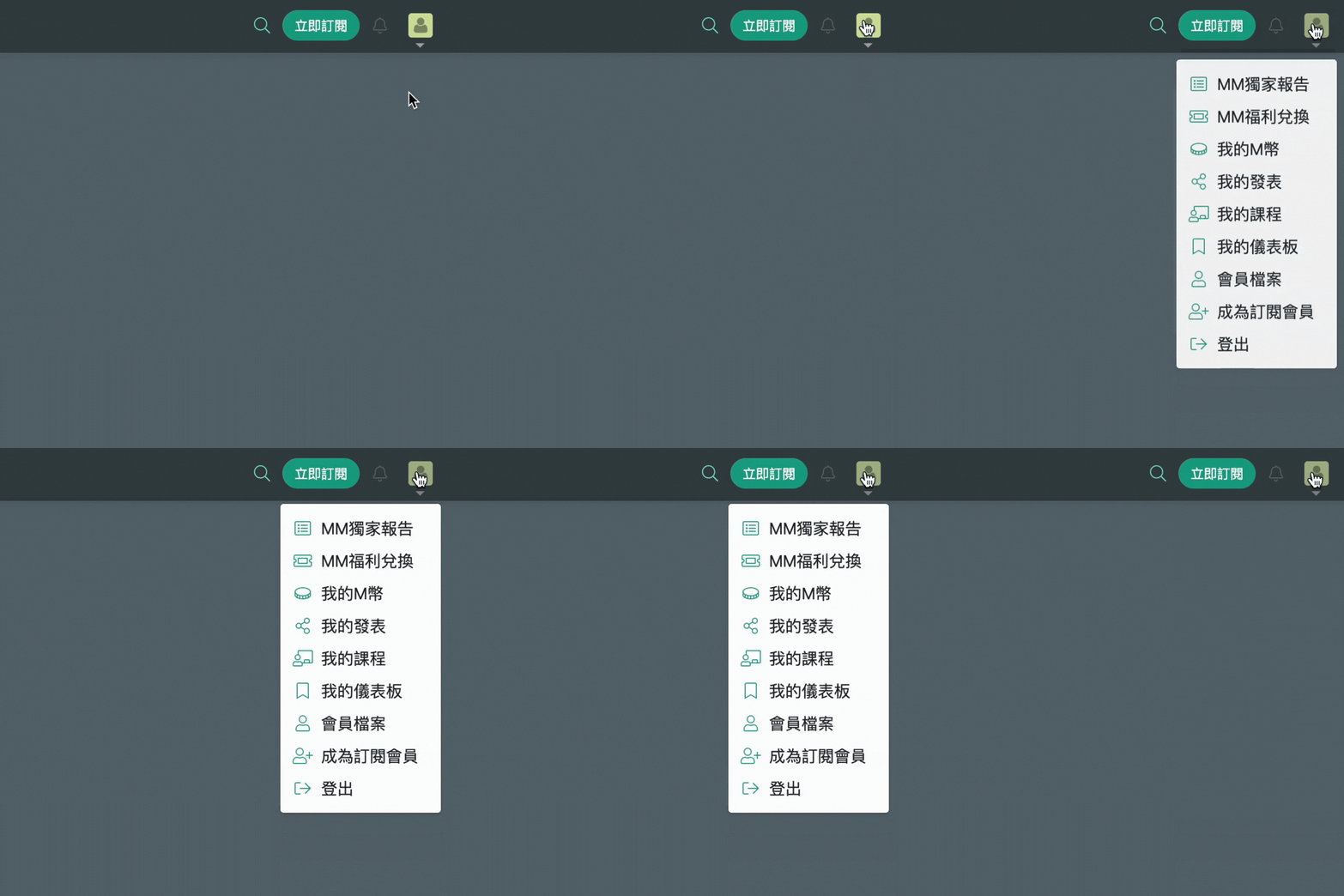
Member Menu Overview
| Section | Description |
|---|---|
| MM Exclusive Reports | This page includes all exclusive reports available to you during your subscription period. Even after your subscription expires, articles unlocked during your paid subscription period will remain accessible on this page. |
| MM Benefits | Brings together exclusive rewards available to your account, including occasional subscription trial campaigns, personal binding for the Global Economic Calendar for eligible subscription plans, course discounts, and other limited-time benefits. Log in and visit MM Benefits to view available rewards. |
| My M-Coins | Shows your current M-Coin balance and earning history. M-Coins can be earned through campaigns, tasks, or purchases, and can be used on My M-Coins to redeem paid services such as subscription plans, online courses, and events. |
| My Published Charts | Displays all custom charts you have published to User Insights on MacroMicro. You can manage, edit, or delete published content here, as well as manage the nickname and profile image used for publishing. 📌 Charting features are available with MM Prime, MM Max, or MM Business plans. |
| My Courses | Collects all online courses you have purchased from the Macro Online Academy. Paid courses in the academy are divided into two categories: 1. Thematic Courses: Available for unlimited viewing after purchase, with no expiration date. 2. MEO Outlook Webinars: One-time live online sessions with time-limited access; extended viewing offers may be available from time to time. Subscribers can also enjoy discounted pricing when purchasing courses. |
| My Dashboard | Allows you to save frequently used charts and organize them into custom chart groups, making it easier to quickly browse and track key data. General members can save up to 10 charts and create 5 chart groups; subscribers can save more content and add custom charts to My Dashboard. |
| Member Profile | Lets you manage your account settings, including nickname, email, and password. You can also view your current subscription plan and expiration date, check payment history, upgrade your plan, and manage your subscription. |